Book desks and spaces without leaving Slack
Desks, meeting rooms, car parks, lockers. One command, one click. Your team stays in Slack right where they are.
Get up and running in 3 quick easy steps
No scary config files or extra password, Just install and you're good to go!
Install to Slack
Click "Add to Slack" and authorise FlexiDesk for your workspace.
Create your spaces
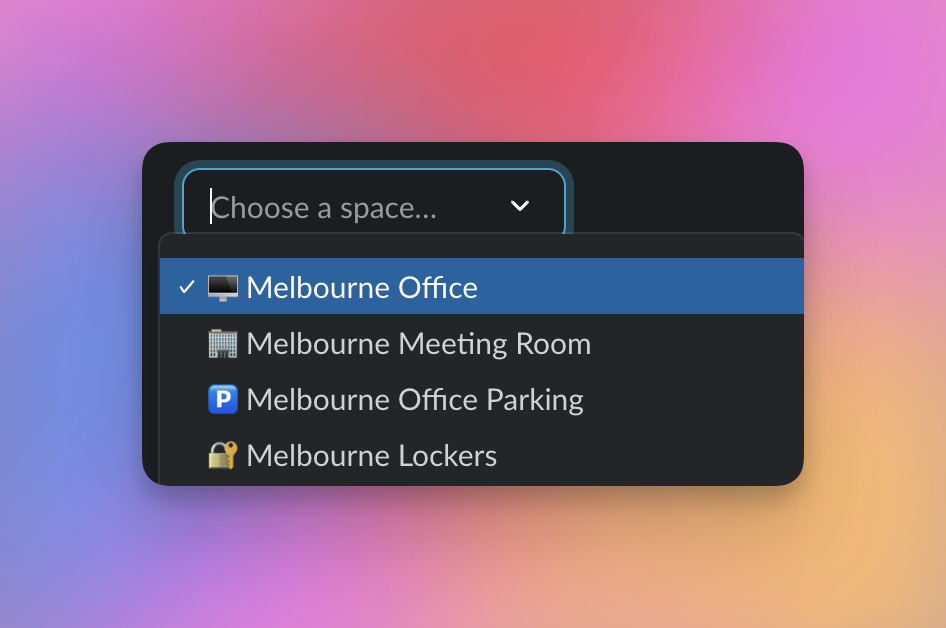
Add your office, car park, or meeting rooms. Name individual spots (like desks - only if you want to), and set when and how the space can be booked.
Your team starts booking
Everyone can now open the FlexiDesk home tab or type /flexidesk book to schedule in. That's it.
Book it in with a click
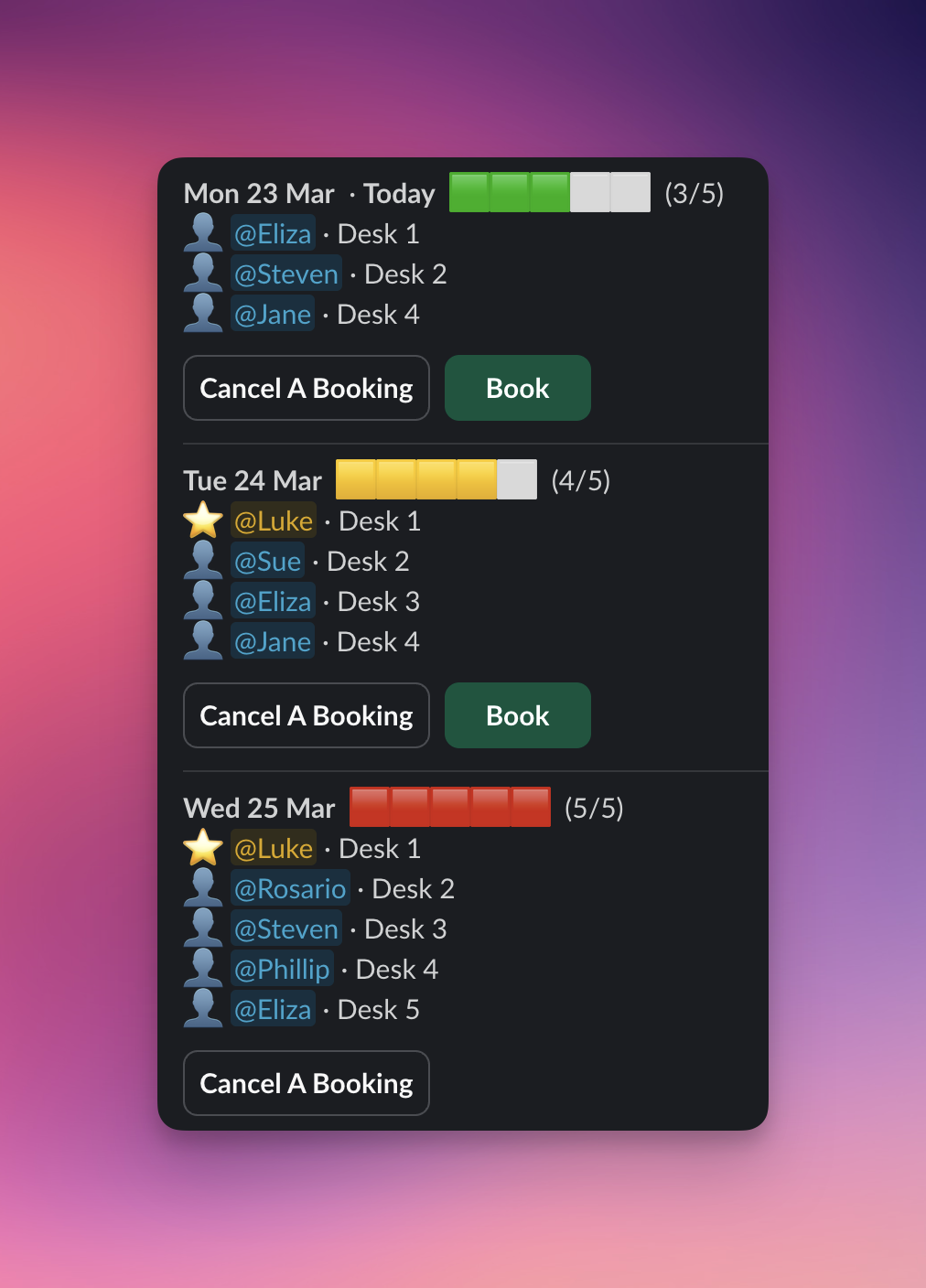
FlexiDesk brings desk booking right into Slack — here's how it looks.
Book a desk in seconds
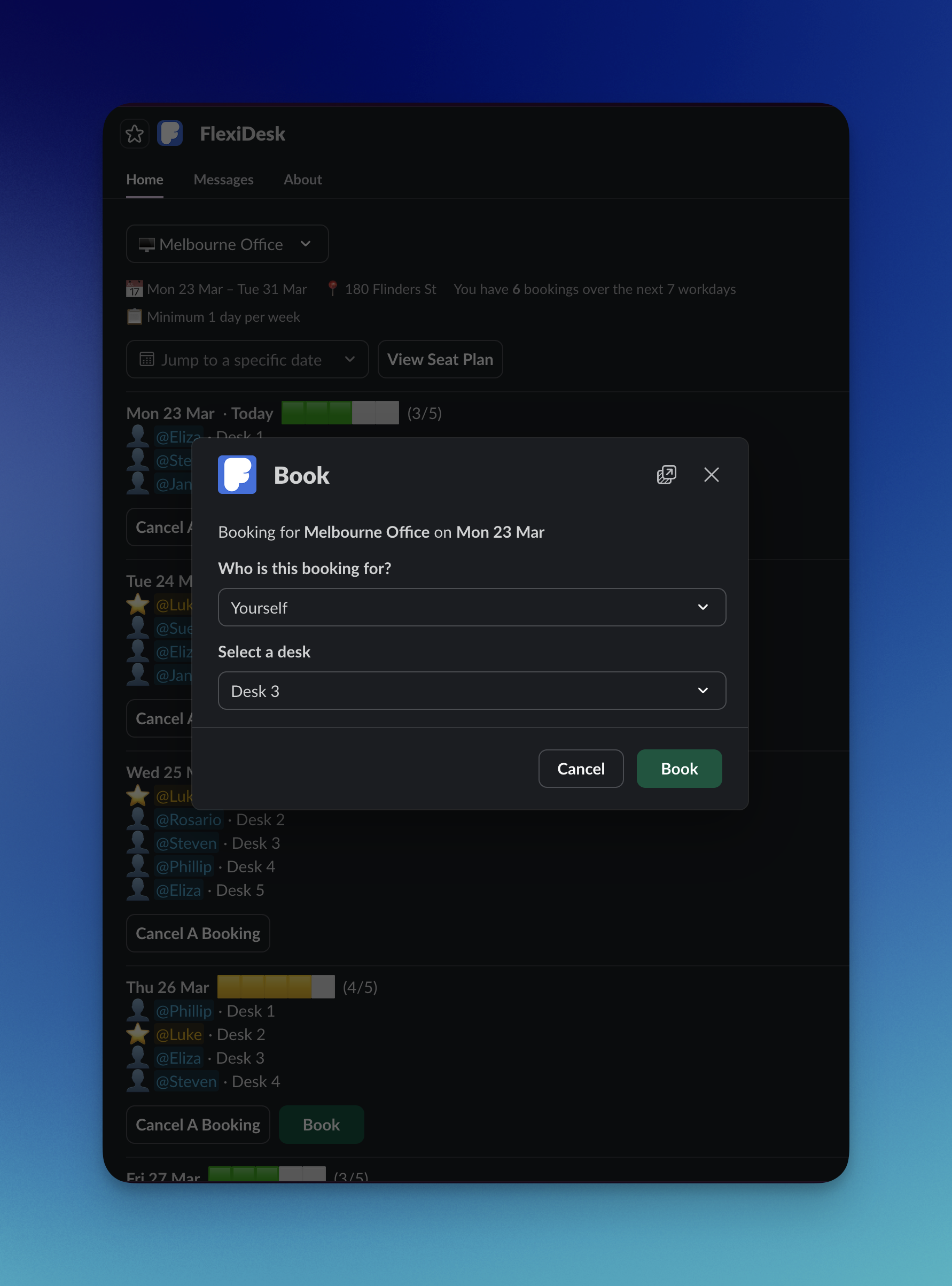
Pick a space, choose a date, and confirm.
- Use routines to automatically book desks
- favourite desk support
- Browse available desks by day
- See who else is in the office
- Book for yourself or a guest
- Admins can cancel or book others
Manage your space your way
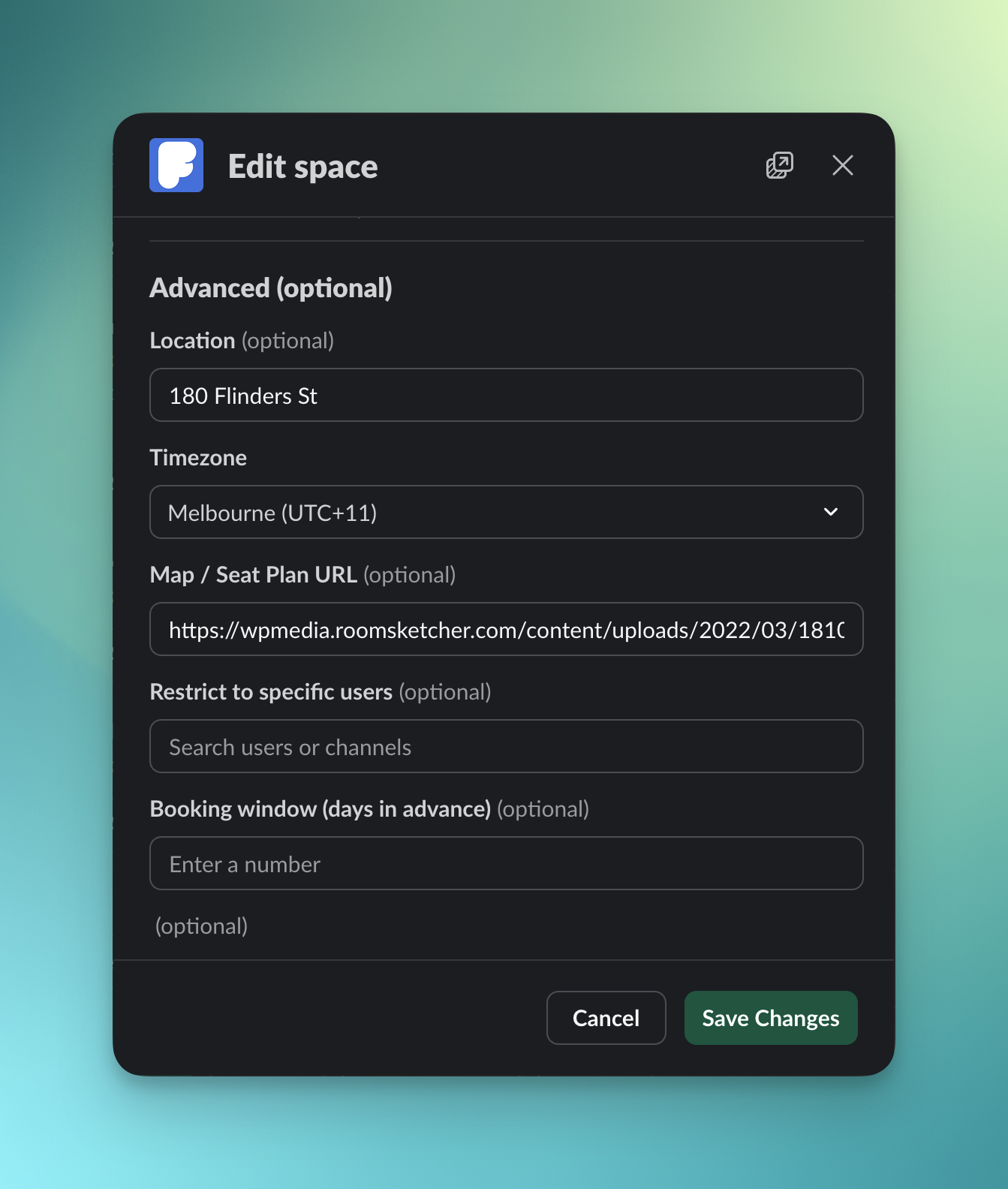
Only want employees to be able to book in when it's high-tide? FlexiDesk can't do that... (yet), but you can configure booking rules, capacity limits, and advanced settings for every space to tailor each location to how your team actually works.
- Custom booking rules per space
- Attendance policies and reminders
- Add seat maps and other room configuration options
- Restrict space access for specific users
- Select which days of the week can be booked
- Limit how far in advance bookings can be made
Never miss a spot with Waitlist
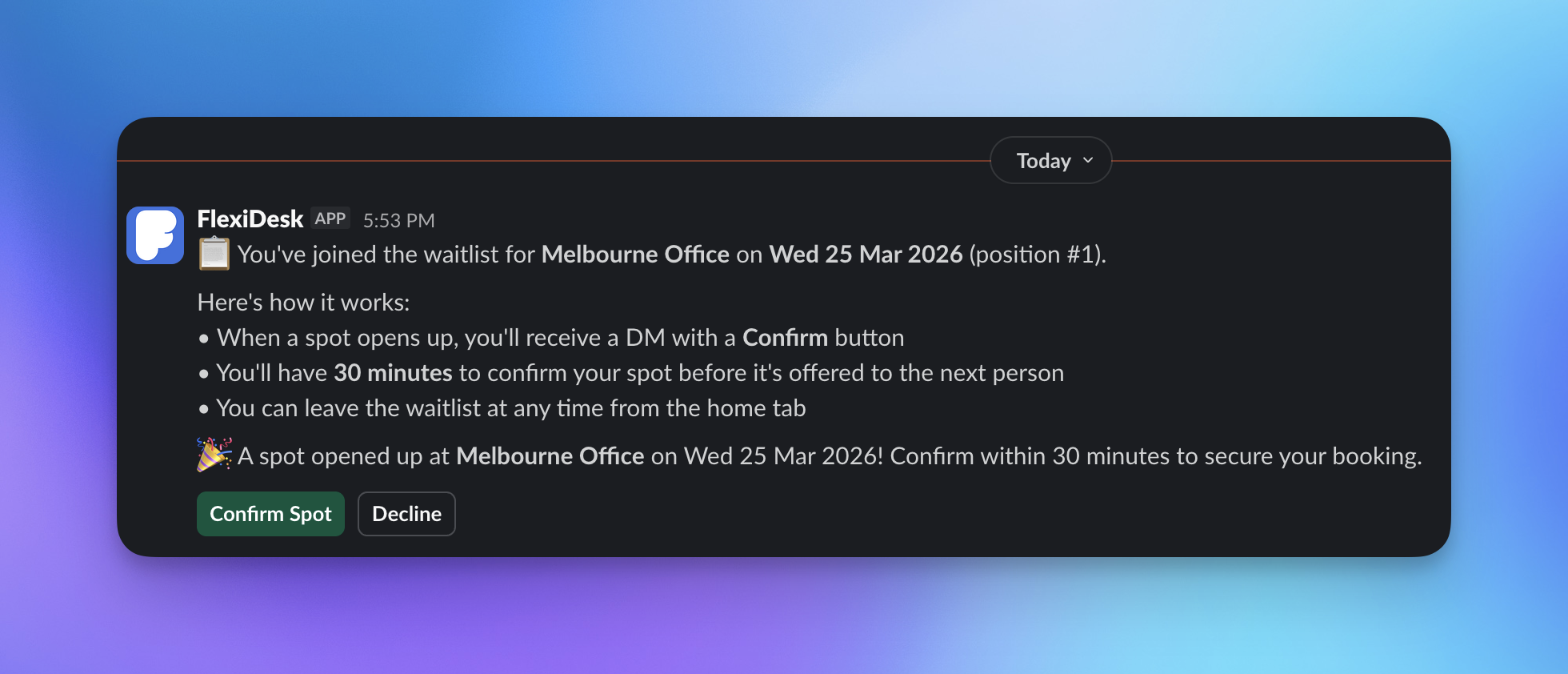
When a space is full, your team joins the waitlist. The moment someone cancels, the next person gets an instant DM with 30 minutes to confirm.
- Automatic notifications when spots open
- Fair first-come-first-served queue
- One-tap to book, directly from the DM
Your team checks Slack 50+ times a day. FlexiDesk meets your team where they are.
Adoption is the single biggest challenge with workplace tools. If people don't use it, it doesn't work. FlexiDesk lives inside the app your team is already in all day — no new passwords, no new bookmarks, no training sessions.
Home tab
A full weekly calendar view, right in Slack
Slash commands
Book with /flexidesk book without lifting your hands from the keyboard
DM notifications
Confirmations, waitlist offers and reminders all arrive as Slack messages
Admin views
Easily add and configure your space right in Slack - or add other admins to do this for you
Everything a flexible workplace needs. Nothing it doesn't.
Simple, powerful space management with even more powerful features.
Book in seconds
Your team sees a clean weekly view with real-time availability. Tap a day, pick a spot, done.
Smart booking routines
Recurring bookings on autopilot. Set it to "every Tuesday and Thursday" and FlexiDesk handles the rest — weekly, fortnightly, or monthly.
Waitlists that actually work
Full for the day? Join the waitlist. If a spot opens, the next person gets a Slack DM with a 30-minute window to confirm. Fair, fast, automatic.
Guest booking
Expecting a visitor? Book them a desk or parking bay without giving them Slack access (or let your employees do this for you). Their name shows on the day view so your team knows who to expect.
Admin booking
Admins can book or cancel on behalf of any team member - useful for team days, or onboarding new starters.
Attendance policies
Set minimum attendance targets per space. FlexiDesk displays the policy and sends automated reminders to anyone falling short, but only if you want to. Just wanna show a cool message to your team instead? that's cool too.
Automated reminders
Configurable DMs nudge team members who haven't met their attendance targets. Choose weekly, fortnightly or monthly frequency.
Real-time insights
See occupancy rates, total bookings, unique users and peak days across any time period. Export everything to CSV for deeper analysis.
Access control
Restrict spaces to specific people. Ideal for executive parking, department-specific desks, or client-facing meeting rooms.
One app for every shared resource
Desks, meeting rooms, car parks and lockers — each with purpose-built features.
Desks
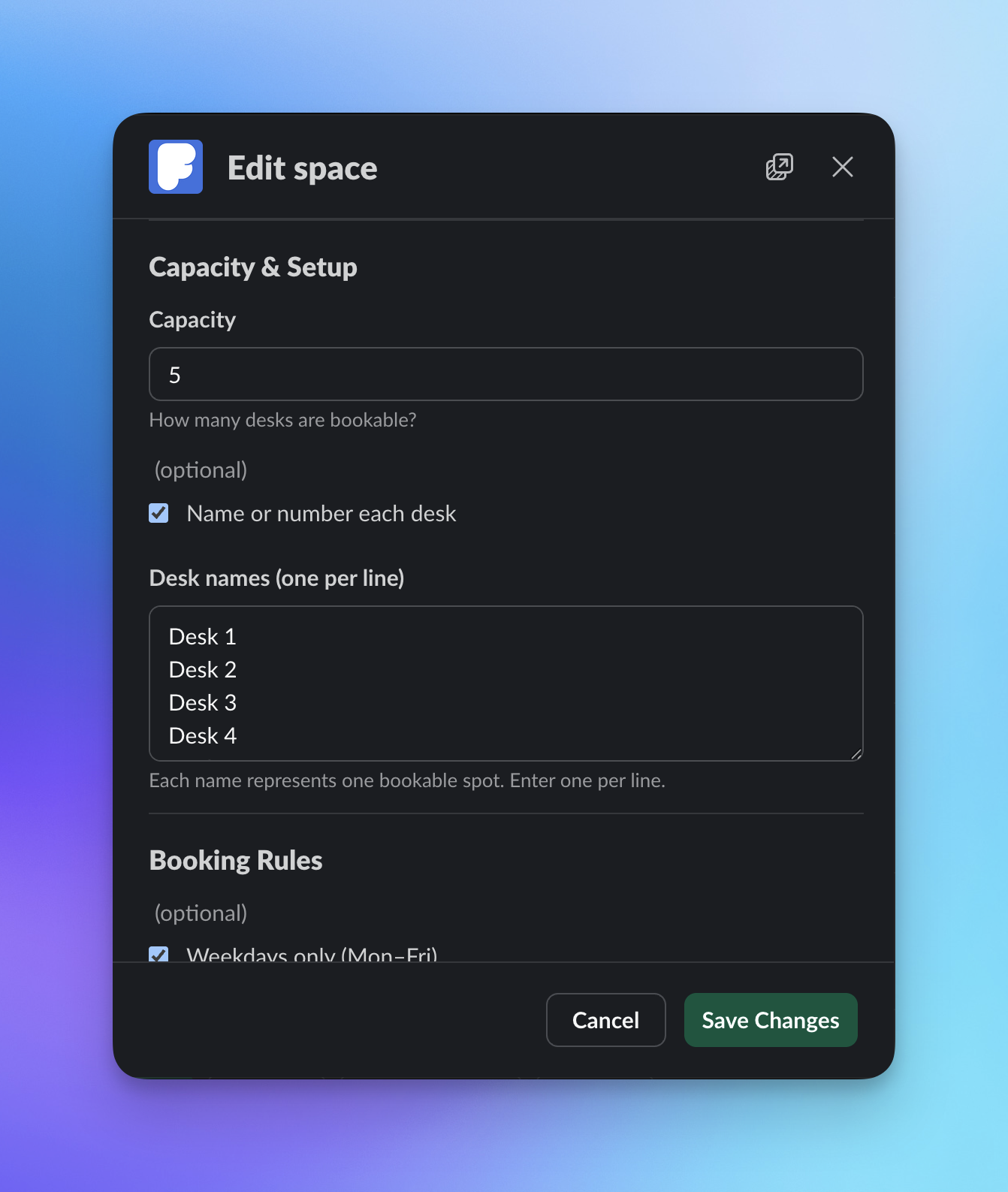
Hot desks, assigned desks, or flexible seating — set your capacity, name each desk, and let your team self-serve. Preferred desks are remembered so regulars get their favourite spot first.
Meeting Rooms
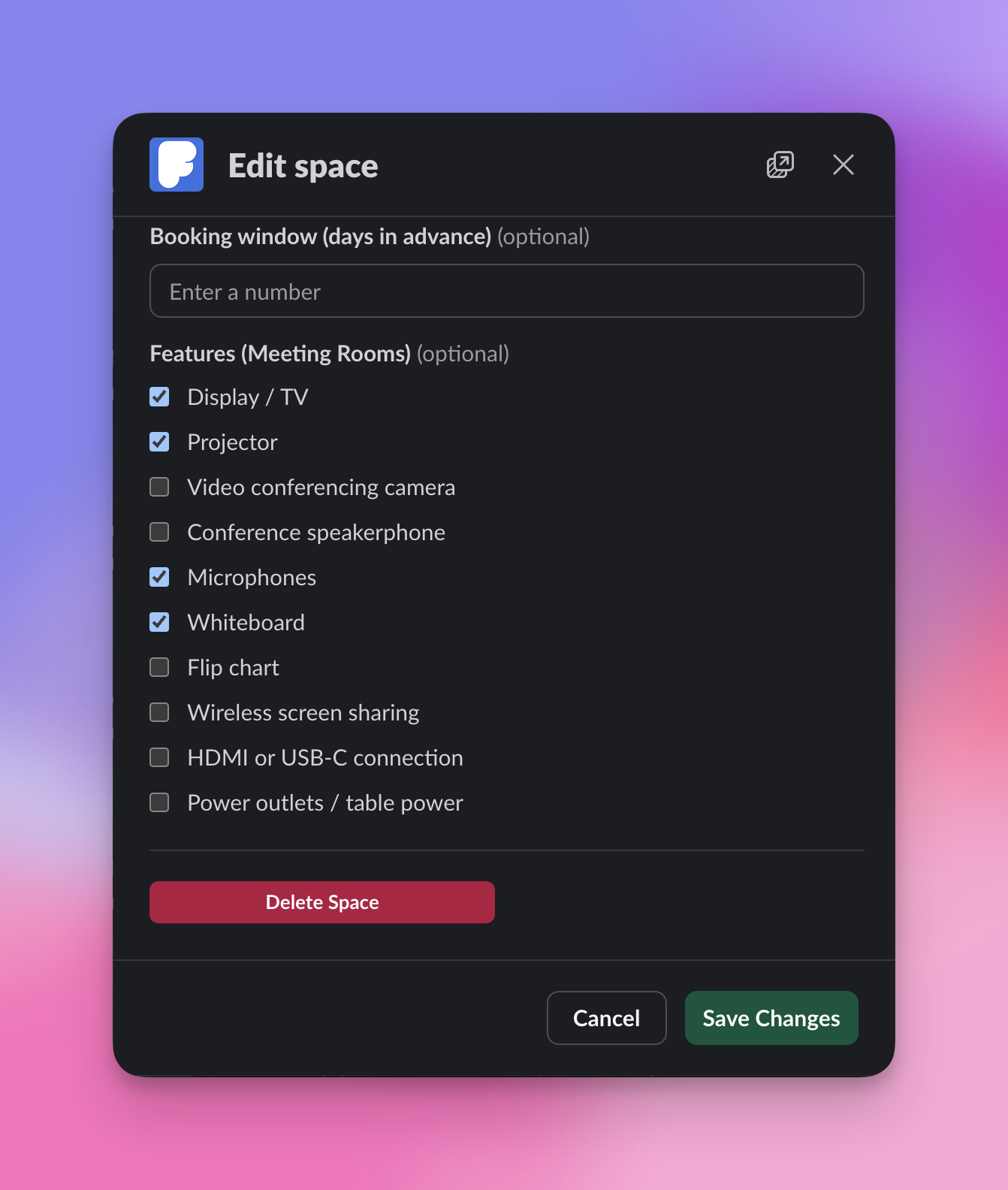
Time-slot booking with automatic overlap prevention. Rooms display available features like video conferencing, whiteboards and screen sharing so teams pick the right room the first time.
Car Parks
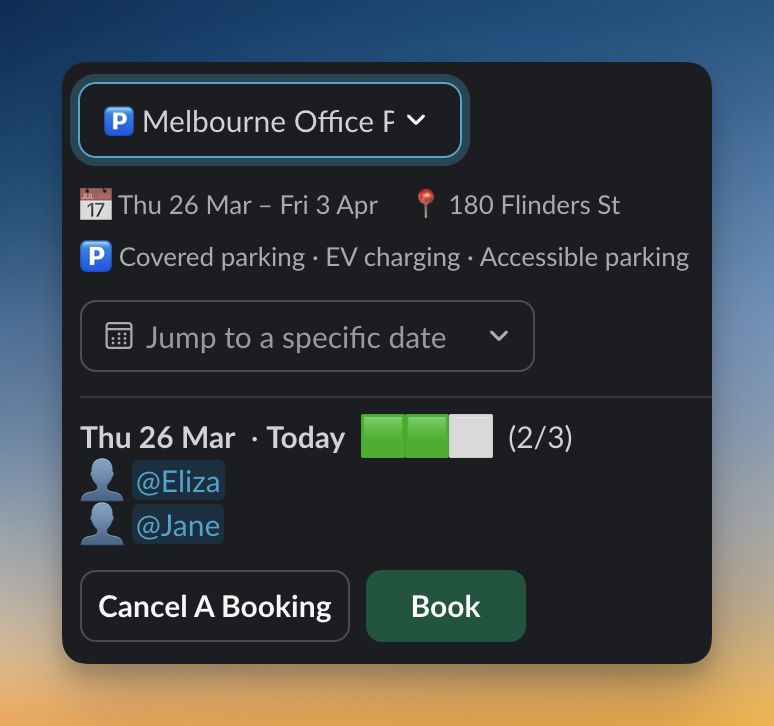
Manage limited parking fairly. Numbered bays, EV charging indicators, accessible spots and covered parking — all visible at booking time.
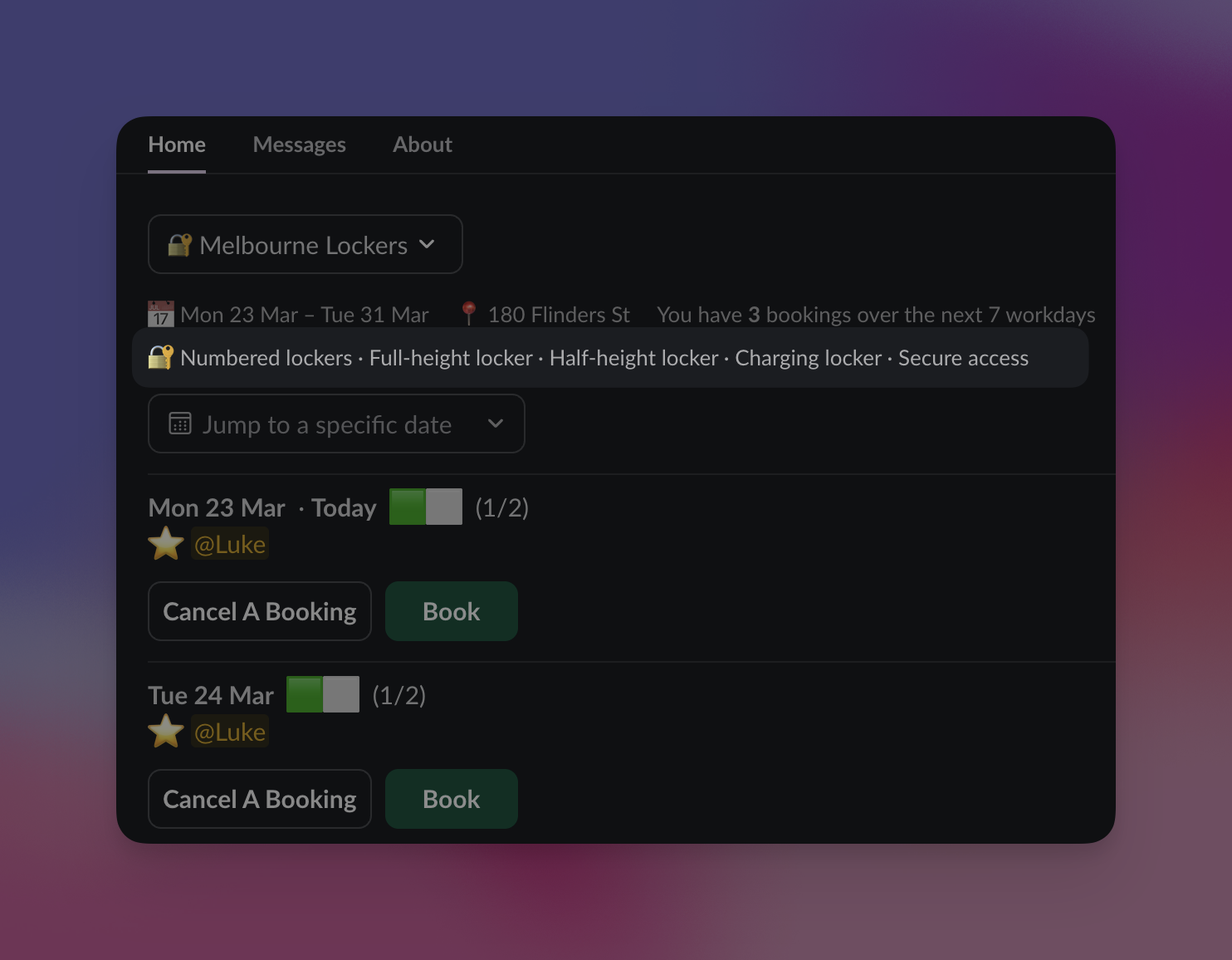
Lockers
Day-use or persistent storage booking. Full-height, half-height, charging lockers — whatever your office layout, FlexiDesk handles it.
Complete control without the complexity
Everything admins need to manage spaces, monitor usage, and keep teams on track.
Space management
Create and configure spaces in minutes. Set capacity, name units, choose features, define availability rules and attendance policies.
Occupancy reporting
View occupancy percentages, booking trends and peak days over 7, 30 or 90-day windows. Export raw data to CSV.
Team oversight
See who's booked where and when. Book on behalf of team members. Cancel bookings when plans change.
Billing in one place
View your plan status, trial countdown and total capacity. Manage payment through Stripe's secure billing portal.
Simple pricing that scales with your space
One price. Every feature included. No tiers, no add-ons, no per-user fees.
Billed by total bookable spots across all spaces — desks, rooms, bays and lockers combined.
Example: 10 desks + 3 parking spaces + 2 meeting rooms = 15 spots = $30 AUD/month
Free 30-day trial — Full access to every feature. No credit card required.
Start your free trialSee how FlexiDesk stacks up
Simple per-spot pricing. No separate app. Built for Slack.
| Feature | FlexiDesk | Robin | Officely | Envoy |
|---|---|---|---|---|
| Slack-native | Yes | Plugin only | Yes | Plugin only |
| Pricing model | Per spot | Per desk | Per user | Per resource |
| Smart waitlists | Yes | No | Yes | No |
| Free trial | 30 days | Demo only | Free tier | Demo only |
| Separate app needed | No | Yes | No | Yes |
Frequently Asked Questions
How long does setup take?
Do my team members need to do anything to get started?
Can I manage different types of spaces — desks AND meeting rooms AND parking?
How does meeting room booking differ from desk booking?
What happens when a space is fully booked?
Can I set up recurring bookings?
Can I restrict who can book certain spaces?
How does billing work?
Is there a contract or minimum commitment?
What data do you store?
Does it work with Slack Enterprise Grid?
Can I export our booking data?
What happens when our trial ends?
Ready to simplify your
office bookings?
Install FlexiDesk and your team can start booking in minutes. No credit card required for the free trial.